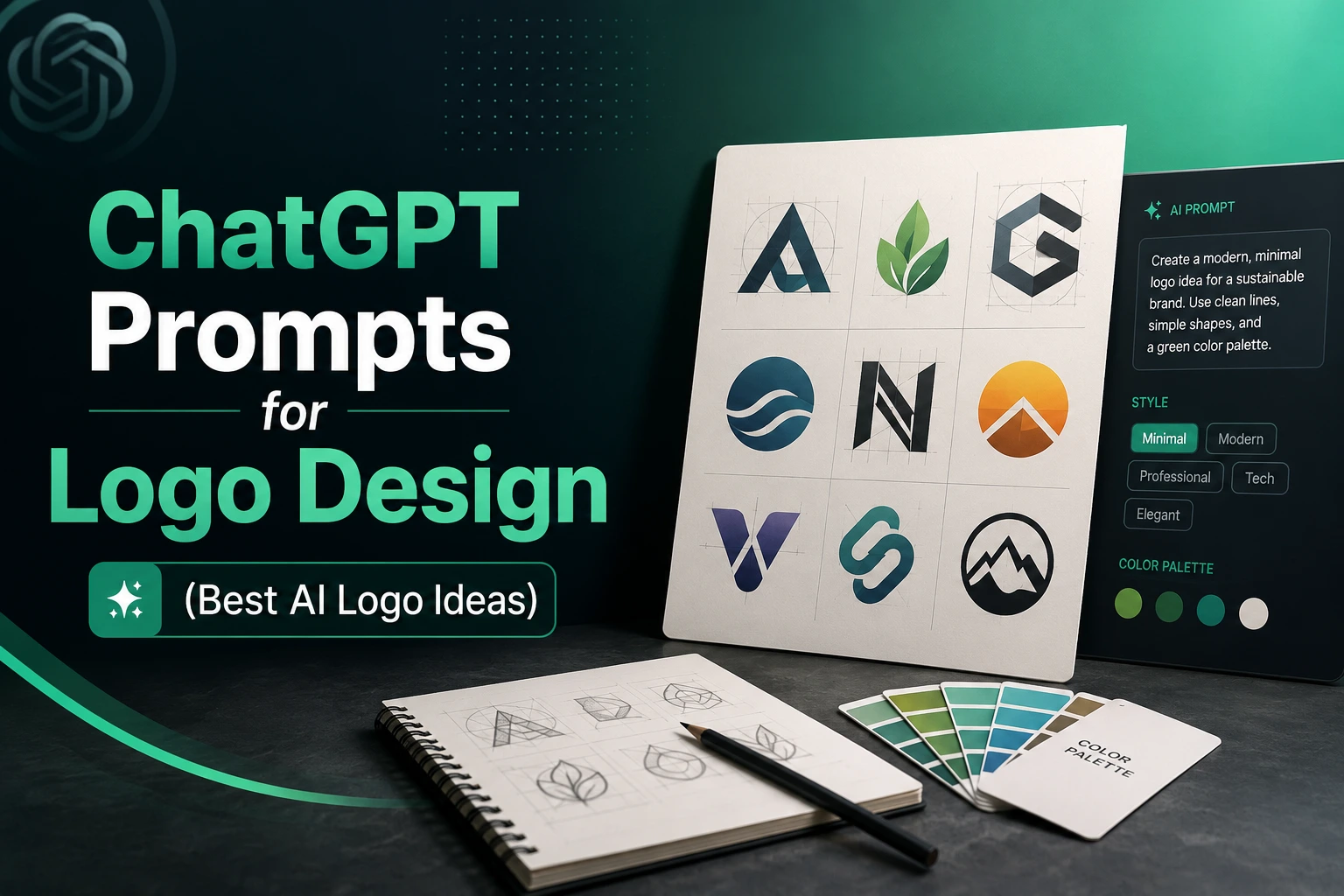
Designing a professional logo no longer requires advanced design skills or expensive software. With the right chatgpt prompts for logo design, you can generate clean, modern, and scalable logo concepts using AI in just a few minutes.
In this guide, you will learn how to structure powerful prompts, avoid common AI mistakes, and create minimalist, geometric, and professional logo ideas that are suitable for real branding.
Anatomy of a Successful Logo Design Prompt
Most people fail with AI logo generation because they write vague prompts like:
Create a logo for my business.This gives ChatGPT too much creative freedom and often produces cluttered, unusable results.
The best chatgpt prompts for logo design follow a simple structure:
[Logo Style] + [Core Icon] + [Industry or Brand Personality] + [Color Palette] + [Technical Constraints]When these elements are combined correctly, DALL-E 3 is much more likely to generate clean and professional logo concepts.
Logo Style
The first part of every successful logo prompt is the style.
Logo style tells the AI how the design should look and immediately eliminates many common mistakes.
Popular logo styles include:
- Minimalist logo
- Line art logo
- Geometric logo
- Monogram logo
- Mascot logo
- Abstract logo
- Luxury logo
Example:
Minimalist geometric logoor
Clean line art logoFor most modern businesses, minimalist styles usually work best because they are:
- Easy to recognize
- Scalable
- Professional
- Timeless
When creating chatgpt prompts for logo design, always define the style before describing the icon.
Core Icon and Brand Concept
After choosing the style, define the main visual element.
The icon should represent the brand, industry, or core idea.
Examples include:
mountain icon for an outdoor brandlightbulb icon for an innovation companylion symbol for a luxury brandshield icon for a cybersecurity businessA complete prompt section might look like:
Minimalist geometric logo featuring a modern shield icon for a cybersecurity companyThe more specific the concept, the more relevant the generated logo becomes.
If you’re unsure how to describe visual concepts effectively, many of the same prompt-engineering principles used in our chatgpt prompt for professional photo guide also apply to logo generation. Clear visual descriptions almost always outperform generic instructions.
Technical Constraints and Negative Instructions
This is the section most users forget, and it is often the difference between a usable logo and a messy AI illustration.
Technical constraints tell the AI what NOT to create.
Examples:
flat vector designwhite backgroundcentered compositionclean scalable logoisolated iconNegative instructions are equally important.
Examples:
No photorealismNo 3D effectsNo gradientsNo complex backgroundNo shadowsNo textA strong technical section might look like:
Flat vector logo, white background, isolated icon, clean geometry, scalable design, no photorealism, no 3D effects, no gradients, no complex background, no text.The “no text” instruction is especially important because AI image models still struggle to generate accurate typography. A common professional workflow is to generate the logo icon first and then add the brand name later using a dedicated design tool.
By combining style, icon concept, and technical constraints, you can build much more effective chatgpt prompts for logo design and consistently generate cleaner logo concepts.
Best ChatGPT Prompts for Logo Design (Copy and Paste)
The biggest advantage of using chatgpt prompts for logo design is that you can quickly generate multiple logo concepts before choosing the best direction for your brand.
The prompts below are designed to avoid common AI logo mistakes such as cluttered layouts, complex backgrounds, excessive details, and poor scalability.
Simply replace the placeholders with your own brand information.
Minimalist Logo Prompt
Minimalist logos are among the most popular logo styles in 2026 because they are clean, modern, and easy to use across websites, social media, packaging, and mobile apps.
Use this prompt:
Create a minimalist logo icon for a [industry/business type] brand.

Use a simple [icon subject] as the central element. Clean geometric shapes, balanced composition, modern design, flat vector style, limited color palette using [color choice].

White background, scalable logo design, professional branding style, isolated icon, no text, no gradients, no shadows, no photorealism, no complex background.
This type of chatgpt prompts for logo design works well for:
- SaaS companies
- Consulting businesses
- Technology startups
- Personal brands
- Ecommerce stores
The simpler the icon, the more versatile the final logo becomes.
Geometric Logo Prompt
Geometric logos focus on symmetry, balance, and mathematical precision.
They are commonly used by:
- Technology brands
- Finance companies
- Architecture firms
- Engineering businesses
Example prompt:
Design a geometric logo icon for a [industry/business type] company.

Create a modern [icon subject] using clean geometric shapes, strong symmetry, precise line work, balanced proportions, and minimal design principles.

Flat vector style, white background, scalable logo icon, professional branding, isolated symbol, limited color palette using [color choice], no text, no gradients, no 3D effects, no complex background.
Geometric logos often look more premium because they communicate structure, stability, and professionalism.
Mascot Logo Prompt
Mascot logos are ideal for brands that want a friendly and memorable identity.
They are popular in:
- Gaming
- Sports teams
- Children’s brands
- Content creators
- Entertainment businesses
Use this prompt:
Create a mascot logo featuring a friendly [animal/character subject] for a [industry/business type] brand.

Bold and recognizable character design, clean outlines, simple shapes, expressive face, professional mascot illustration style, strong visual identity.

Flat vector logo, white background, isolated mascot icon, scalable branding design, limited color palette using [color choice], no text, no photorealism, no complex background, no unnecessary details.
When creating mascot logos, focus on simplicity rather than excessive detail. A clean mascot is easier to recognize, easier to scale, and much more effective for branding.
These ready-to-use chatgpt prompts for logo design provide a solid starting point for generating professional AI logo concepts while maintaining the simplicity and scalability required for real-world brand identities.
Advanced Keywords That Improve AI Logo Quality
Many users focus only on the main logo idea and ignore the keywords that control quality.
In reality, a few strategic words can dramatically improve the output of chatgpt prompts for logo design and help generate cleaner, more professional logo concepts.
The keywords below are commonly used by designers to guide AI toward modern branding standards.
Flat Vector Style
One of the most important logo-design keywords is flat vector style.
Without this instruction, AI often generates:
- Photorealistic images
- 3D objects
- Complex illustrations
- Overly detailed artwork
These styles may look impressive, but they rarely work as professional logos.
Instead, include terms such as:
flat vector styleminimal vector logoclean vector iconsimple flat designThese keywords encourage the AI to create logos that are:
- Easy to scale
- Easy to print
- Suitable for websites
- Better for branding
Most successful modern brands use flat design principles because simplicity improves recognition.
Clean Geometry and Symmetry
Professional logos often rely on visual balance.
When AI is not guided properly, it may create icons that feel uneven or visually chaotic.
To improve structure, add keywords like:
clean geometryperfect symmetrybalanced compositionprecise line workmathematical proportionsThese terms help generate logos that look more intentional and professionally designed.
They are especially useful for:
- Technology companies
- Financial brands
- Architecture firms
- Engineering businesses
Geometric consistency often makes a logo feel more trustworthy and premium.
White Background and Isolated Design
Another common mistake in chatgpt prompts for logo design is forgetting to control the background.
AI frequently adds:
- Decorative scenery
- Abstract textures
- Complex lighting effects
- Unwanted graphic elements
This makes logo extraction difficult.
To prevent this, use keywords such as:
white backgroundisolated logo iconcentered compositionclean backgroundtransparent-ready designThese instructions help create logos that are easier to:
- Crop
- Export
- Convert into vectors
- Use across multiple branding materials
A clean white background also makes it easier to evaluate the logo itself without distractions.
By combining flat vector style, clean geometry, and isolated design, you can significantly improve the quality of your chatgpt prompts for logo design and generate logo concepts that are much closer to professional branding standards.
How to Prevent Common AI Logo Design Mistakes
Even with good chatgpt prompts for logo design, AI can still generate unusable logos if you don’t provide the right restrictions.
Most logo-generation problems happen because users give the AI too much freedom. By understanding the common mistakes below, you can create cleaner, more professional logo concepts that are easier to use in real-world branding.
Avoid Complex Backgrounds
One of the biggest mistakes in AI logo generation is allowing the model to create decorative backgrounds.
AI often adds:
- Abstract patterns
- Lighting effects
- Landscapes
- Shadows
- Textures
- Unnecessary design elements
While these may look attractive, they make the logo difficult to:
- Crop
- Edit
- Convert into vector format
Instead, include instructions such as:
white backgroundclean backgroundisolated logo iconcentered compositionExample:
Minimalist logo icon on a white background, isolated design, centered composition, clean vector style.The cleaner the background, the more professional and usable the final logo becomes.
Don’t Ask AI to Generate Brand Names
One of the most important rules for chatgpt prompts for logo design is avoiding text generation inside the logo.
Although AI image models have improved, they still struggle with:
- Spelling accuracy
- Letter consistency
- Typography alignment
- Readability
This often results in:
- Misspelled brand names
- Random characters
- Distorted letters
- Unusable typography
Instead of asking for:
Create a logo with the brand name TechNova.Use:
Create a textless logo icon for a technology brand.Then add your brand name later using a professional design tool.
This workflow is used by many designers because it produces cleaner and more scalable results.
Use Negative Prompting for Better Results
Negative prompting is one of the most powerful techniques for controlling AI output.
Instead of only describing what you want, tell the AI what you do not want.
Common negative instructions include:
No photorealismNo 3D effectsNo gradientsNo shadowsNo complex backgroundNo textExample prompt section:
Flat vector logo, clean geometry, isolated icon, white background, no text, no photorealism, no gradients, no 3D rendering, no complex background.Negative prompting is similar to the technique used in our chatgpt prompts for photo editing guide, where removing unwanted visual elements often produces cleaner and more accurate AI-generated results.
When used correctly, negative instructions help transform average chatgpt prompts for logo design into highly controlled prompts that generate logos closer to professional branding standards.
Best Practices for Creating Professional AI Logos
Creating high-quality logos with chatgpt prompts for logo design is not just about writing a good prompt. It is also about following a smart workflow that helps you control creativity and reduce random results.
If you follow the best practices below, you will get cleaner, more scalable, and more professional logo concepts that are actually usable for real branding.
Generate the Icon First
One of the most effective strategies is to focus on the logo icon before anything else.
AI often struggles when you ask for too many elements at once, especially:
- Brand names
- Complex typography
- Detailed illustrations
- Full branding systems
Instead, start with a simple icon-only prompt:
Create a minimalist flat vector logo icon for a modern tech brand. Clean geometry, simple shapes, white background, isolated design, no text, no 3D effects, no gradients.This approach gives you:
- Better visual control
- Cleaner shapes
- Stronger brand identity
- Easier scalability
Once you have a strong icon, you can refine it or reuse it across different branding materials.
Add Typography Later
One of the most common mistakes in chatgpt prompts for logo design is trying to generate both icon and text at the same time.
AI often produces:
- Misspelled words
- Uneven spacing
- Poor font structure
- Unreadable text
That’s why professional designers usually separate the process.
Best workflow:
- Generate icon only
- Choose the best concept
- Add brand name manually in a design tool
This ensures:
- Perfect typography control
- Clean brand presentation
- Professional consistency across platforms
Even in advanced branding systems, typography is usually handled separately for better precision and readability.
Create Multiple Variations Before Choosing
Never rely on a single AI-generated logo.
Even with strong chatgpt prompts for logo design, results can vary significantly between generations.
A better approach is to generate multiple variations:
- Different icon styles
- Different geometric structures
- Different color palettes
- Slightly adjusted compositions
Example prompt variations:
Minimalist logo icon, flat vector style, white background, clean geometry, tech brand identity.Geometric logo design, balanced symmetry, modern branding style, isolated icon, no text.Abstract minimal logo icon, simple shapes, professional flat vector design, scalable branding mark.By comparing multiple outputs, you can select the strongest design instead of settling for the first result.
This iterative approach is similar to how designers refine visual concepts in other AI workflows, including chatgpt prompts for photo editing, where multiple versions help achieve the best final result.
Creating professional AI logos is not about one perfect prompt—it is about testing, refining, and selecting the best visual direction.
Final Thoughts
AI logo generation has become one of the fastest ways to explore brand identity in 2026. With the right chatgpt prompts for logo design, you can quickly turn ideas into clean visual concepts without needing advanced design skills or expensive software.
The key is not just creativity, but control. When you use clear structure, strong constraints, and minimal design principles, AI can produce logo ideas that are surprisingly close to professional branding standards.
Create Professional Logos Faster With AI
Instead of spending days sketching ideas or browsing templates, you can now generate multiple logo directions in minutes.
AI helps you:
- Explore different styles instantly
- Test visual identities before committing
- Save time in early branding stages
- Produce clean vector-style concepts quickly
This makes it especially useful for startups, freelancers, and small businesses that need fast visual direction without heavy design costs.
When combined with proper structure and constraints, chatgpt prompts for logo design become a powerful tool for accelerating the entire branding process.
Use ChatGPT Prompts to Generate Better Logo Concepts
The real advantage of AI is not replacing designers, but helping you think more clearly about your brand identity.
By refining your prompts, simplifying your ideas, and applying techniques like flat vector style, negative prompting, and icon-first design, you can consistently generate stronger logo concepts.
Ultimately, mastering chatgpt prompts for logo design is about learning how to communicate visually with AI—clearly, simply, and strategically.
Using well-structured chatgpt prompts for logo design can completely change the way you build brand identities. Instead of struggling with complex design tools, you can quickly generate multiple logo concepts, refine them with clear constraints, and choose the best direction for your brand.
By focusing on simplicity, flat vector style, and strong prompt control, you can create professional logo ideas that are clean, scalable, and ready for real-world use in 2026 and beyond.
