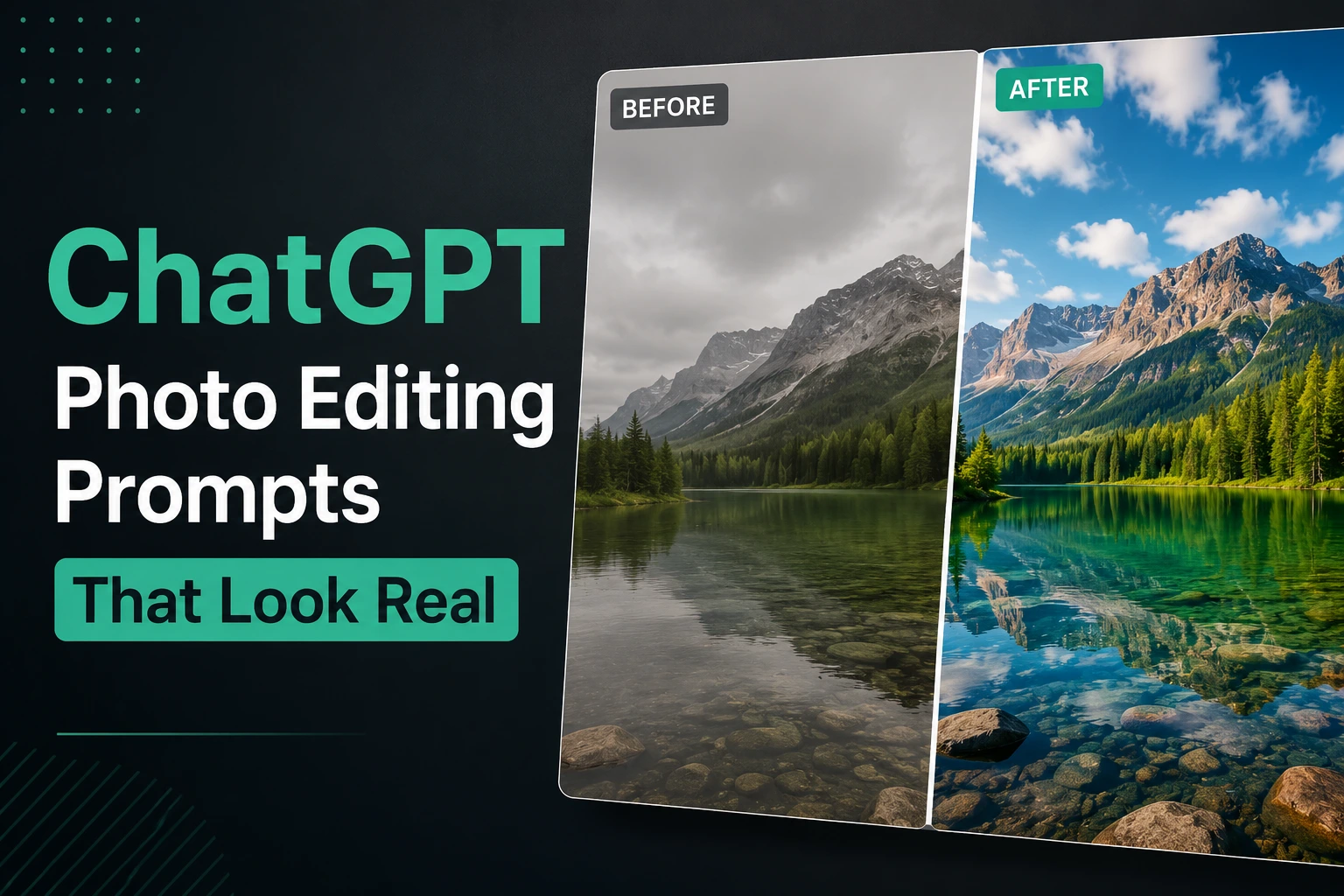
Editing photos no longer requires advanced design skills or expensive software. With the right chatgpt prompts for photo editing, you can remove objects, change backgrounds, improve lighting, and create cinematic AI edits directly inside ChatGPT using simple text instructions.
In this guide, you will discover copy-paste prompts, trending editing styles, and practical techniques to create realistic and professional-looking images faster than ever.
How to Use ChatGPT for Photo Editing Step by Step
Many beginners think AI photo editing is complicated, but modern tools make the process surprisingly simple.
With the right chatgpt prompts for photo editing, you can remove objects, change backgrounds, improve lighting, or completely transform the style of an image in just a few minutes.
The key is understanding how to communicate clearly with ChatGPT and DALL-E 3.
Upload Your Image to ChatGPT
The first step is uploading the image you want to edit.
Inside ChatGPT, click the upload button and choose your photo from your device.
For better AI editing results:
- Use high-quality images
- Make sure the subject is clearly visible
- Avoid blurry or low-light photos
- Use natural lighting when possible
Clear images help the AI understand details like:
- Facial features
- Background separation
- Object edges
- Lighting conditions
This improves the accuracy of your photo editing prompts for chatgpt and creates more realistic edits.
If you also want to create completely new professional AI images from scratch, you can read our guide about chatgpt prompt for professional photo, where we explain advanced prompts for business photos, marketing visuals, and realistic AI photography.
Select the Area You Want to Edit
For more precise edits, ChatGPT may allow you to select or highlight a specific area of the image.
This is especially useful when you want to:
- Remove an object
- Replace a background
- Change clothing colors
- Edit only one part of the image
For example, you can highlight a person in the background and ask the AI to remove them naturally.
The more precise your selection is, the cleaner the final result usually becomes.
This step is extremely important for advanced chatgpt photo editing prompts trending in 2026 because localized editing creates more professional and realistic outcomes.
Paste a Clear Editing Prompt
After uploading the image, describe exactly what you want the AI to change.
Clear prompts always produce better edits than short or vague instructions.
Bad example:
make this betterBetter example:
Remove the person in the background and replace the background with a modern office environment using soft natural lighting and realistic shadows.Good chatgpt prompts for photo editing usually include:
- What should change
- What should stay the same
- Lighting style
- Background style
- Realism instructions
You can also use advanced editing keywords like:
cinematic lightingrealistic shadowsnatural skin texturesoft color gradinghigh-resolution detail
These terms help the AI create edits that look more natural and professionally edited instead of obviously AI-generated.
The clearer your instructions are, the better your final image will look.
Best ChatGPT Prompts for Photo Editing (Copy and Paste)
The quality of your AI edit depends heavily on the prompt you use.
Strong chatgpt prompts for photo editing help the AI understand exactly what should change while keeping the image realistic and natural.
Below are some of the most useful copy-paste prompts for common editing tasks in 2026.
Remove Objects From Photos
One of the most popular uses of AI photo editing is removing unwanted objects or people from an image.
This can include:
- Background strangers
- Cars
- Trash
- Wires
- Random objects
- Photobombers
Use this photo editing prompt for chatgpt:
Remove the unwanted object/person from the background while keeping the image realistic and natural. Reconstruct the missing area seamlessly with matching lighting, shadows, and texture. Maintain high-resolution quality and realistic details.For cleaner results:
- Select the exact object area if possible
- Use high-quality images
- Keep prompts simple and direct
Overcomplicated instructions can reduce realism.
Change Backgrounds With AI
Background replacement is one of the biggest chatgpt photo editing prompts trending right now.
You can transform a normal image into:
- A professional office photo
- A beach scene
- A luxury environment
- A futuristic background
- A minimalist studio setup
Example prompt:
Replace the background with a modern professional office environment while keeping the subject realistic and naturally blended into the scene. Match the lighting direction, shadows, and color tones for a seamless result.You can customize backgrounds easily using flexible terms like:
[modern office][luxury hotel lobby][minimal white studio][sunset beach][cyberpunk city]
This type of best chatgpt photo prompts is extremely useful for content creators, freelancers, and personal branding.
Improve Lighting and Color Grading
Lighting and colors have a huge impact on how professional a photo looks.
AI can quickly improve dull or flat images using cinematic editing instructions.
Example prompt:
Enhance the lighting and color grading of this image with soft cinematic lighting, balanced highlights, realistic shadows, natural skin tones, and professional contrast. Keep the image realistic and high quality.You can also experiment with different styles:
warm golden tonescinematic blue-orange gradingsoft daylight effectdramatic shadowshigh-end commercial look
These cool chatgpt image prompts help create more polished and visually appealing content for:
- YouTube thumbnails
- Marketing campaigns
- Personal branding
- Ecommerce ads
Small lighting improvements can completely transform the quality of an image.
Trending ChatGPT Photo Editing Prompts
AI photo editing trends change very quickly, especially on social media platforms like TikTok, Instagram, and YouTube Shorts.
In 2026, the most popular chatgpt prompts for photo editing focus on cinematic effects, anime transformations, and highly shareable social media styles.
Below are some of the most viral editing prompt styles people are using right now.
Cinematic Photo Editing Prompts
Cinematic edits are extremely popular because they make normal photos look like movie scenes.
These edits usually include:
- Dramatic lighting
- Film-style colors
- Soft shadows
- Realistic contrast
- Premium visual atmosphere
Example prompt:
Transform this image into a cinematic movie-style photo with dramatic lighting, soft shadows, realistic skin texture, shallow depth of field, cinematic color grading, and a high-end film photography look.You can also add extra cinematic effects like:
rain atmospheregolden hour lightingvolumetric fogneon reflectionsfilm grain texture
These cool chatgpt image prompts are highly popular for creators who want dramatic and visually powerful content.
Anime and Cartoon Style Prompts
Style transfer editing is one of the fastest-growing AI trends.
Users love transforming real photos into:
- Anime characters
- Pixar-style portraits
- Cartoon avatars
- Digital paintings
- Manga art
Example prompt:
Convert this photo into a detailed anime-style illustration while preserving the facial expression and overall composition. Use vibrant colors, clean line art, cinematic anime lighting, and high-quality digital art style.You can experiment with different styles like:
Studio Ghibli inspiredPixar 3D animation styleJapanese manga artcomic book illustrationflat vector art
These chatgpt photo editing prompts trending are especially viral on TikTok and Instagram because they create highly shareable visual transformations.
Viral Social Media Editing Prompts
Social media creators often use AI editing to make photos look more eye-catching and engaging.
The goal is usually to create images that instantly attract attention while still looking polished.
Example prompt:
Edit this photo for a viral social media look with vibrant colors, clean lighting, sharp subject focus, soft skin tones, modern Instagram aesthetic, realistic details, and premium influencer-style editing.Popular social media effects include:
bright aesthetic lightingsoft pastel colorshigh contrast fashion lookluxury influencer styleclean minimal editing
These best chatgpt photo prompts are commonly used for:
- Instagram posts
- TikTok covers
- YouTube thumbnails
- Personal branding
- Fashion content
Simple but visually strong edits usually perform better than overedited images on modern social platforms.
Cool ChatGPT Image Prompts for Creative Edits
One of the most exciting parts of AI editing is creativity.
Modern chatgpt prompts for photo editing can completely transform normal photos into artistic, cinematic, or retro-style visuals in seconds.
These creative edits are especially popular for social media, personal branding, digital art, and online content creation.
Turn Photos Into Digital Art
AI can transform real photos into stunning digital artwork with different artistic styles.
Popular transformations include:
- Digital painting
- Concept art
- Fantasy illustration
- Comic-style art
- Modern vector design
Example prompt:
Transform this photo into detailed digital artwork with realistic lighting, cinematic atmosphere, clean brush textures, vibrant colors, and a modern digital painting style while preserving the original composition.You can customize the artistic direction using style keywords like:
fantasy concept artcyberpunk illustrationwatercolor paintingflat vector style3D digital art
These cool chatgpt image prompts are perfect for creators who want unique visual content without advanced design skills.
Create Professional AI Portrait Edits
Portrait editing is one of the most useful applications of AI image editing tools.
With the right photo editing prompts for chatgpt, you can improve portraits by enhancing:
- Lighting
- Background blur
- Facial clarity
- Skin tones
- Overall professionalism
Example prompt:
Edit this portrait with professional studio lighting, realistic skin texture, soft background blur, balanced shadows, DSLR-quality sharpness, and cinematic color grading while keeping the face natural and realistic.This type of editing works especially well for:
- LinkedIn profiles
- Resume photos
- Personal branding
- Professional websites
- Social media profiles
Natural-looking edits usually perform better than heavy beauty filters.
Vintage and Retro Photo Effects
Retro editing styles are becoming increasingly popular on Instagram, TikTok, and Pinterest.
AI can recreate old-school photography styles very quickly.
Example prompt:
Transform this image into a vintage retro-style photo with warm faded colors, soft film grain, classic 1980s photography atmosphere, subtle light leaks, realistic shadows, and authentic analog camera aesthetics.Popular retro effects include:
film grain texturePolaroid style90s camera lookfaded cinematic colorsold film photography
These best chatgpt photo prompts help create nostalgic and visually distinctive content that stands out on social media platforms.
Common Mistakes and Limitations in AI Photo Editing
AI editing tools are powerful, but they are not perfect.
Even the best chatgpt prompts for photo editing can sometimes create unrealistic results if the instructions are unclear or overly complicated.
Understanding the common mistakes below will help you create cleaner, more professional AI edits with fewer failed generations.
Overediting Makes Images Look Fake
One of the biggest mistakes beginners make is adding too many effects at the same time.
Overedited AI images often include:
- Unrealistic skin
- Oversaturated colors
- Extreme sharpness
- Artificial lighting
- Plastic-looking textures
For example, prompts with too many dramatic keywords can confuse the AI:
ultra cinematic, hyper realistic, fantasy lighting, neon glow, dramatic HDR, ultra sharp, luxury aestheticInstead, focus on realistic improvements.
A cleaner prompt usually works better:
natural lighting, realistic skin texture, balanced shadows, professional color gradingIf you specifically want realistic portrait editing and business-style AI photos, you can also explore our guide about Best ChatGPT Prompt for Professional Headshot, where we explain advanced portrait prompts, lighting realism, and LinkedIn-style AI editing techniques.
Complex Edits May Fail
AI photo editing still has limitations in 2026.
Very detailed or highly technical edits may not work perfectly, especially when trying to edit:
- Tiny facial details
- Hands and fingers
- Complex reflections
- Transparent objects
- Crowded backgrounds
For example, asking ChatGPT to completely rebuild a heavily damaged image may produce inconsistent results.
This is why professional designers still use tools like Photoshop for advanced precision work.
The best strategy is using AI for:
- Fast edits
- Background changes
- Lighting improvements
- Style transformations
- Basic object removal
Simple editing tasks usually generate the most realistic outcomes.
Why Clear Prompts Improve Results
The quality of your edit depends heavily on how clearly you describe the task.
Weak prompts create weak results.
Bad example:
make this image betterBetter example:
Replace the background with a modern office, improve the lighting with soft cinematic shadows, keep realistic skin texture, and preserve the original facial features.Strong photo editing prompts for chatgpt usually explain:
- What should change
- What should remain untouched
- Lighting style
- Realism level
- Background details
Clear instructions help the AI understand your goal more accurately and reduce strange or unrealistic edits.
In most cases, simple and specific prompts outperform long and complicated ones.
Final Thoughts
AI editing tools are changing the way people create visual content online.
Today, anyone can use powerful chatgpt prompts for photo editing to transform normal images into professional-looking visuals without learning complex software like Photoshop.
With the right prompts, even beginners can create realistic edits, cinematic effects, and social media-ready images in just a few minutes.
Save Time With AI Photo Editing
Traditional photo editing can take hours, especially for beginners.
AI tools like ChatGPT and DALL-E 3 simplify many tasks, including:
- Removing unwanted objects
- Changing backgrounds
- Improving lighting
- Applying artistic styles
- Creating viral social media edits
Instead of spending hours learning advanced editing software, users can now describe changes using simple text instructions.
This makes AI editing especially valuable for:
- Freelancers
- Content creators
- Small businesses
- Social media managers
- Ecommerce brands
Fast editing workflows help creators publish more content in less time.
Use ChatGPT Prompts to Create Better Visual Content
The quality of AI-generated edits depends heavily on prompt quality.
A well-written chatgpt prompts for photo editing strategy can help you create visuals that look cleaner, more realistic, and more engaging across different platforms.
Whether you want cinematic edits, anime transformations, product images, or professional portraits, learning how to write better prompts is becoming one of the most useful digital skills in 2026.
The more you practice combining clear instructions, realistic lighting, and creative styles, the better your AI-edited images will become.
Using powerful chatgpt prompts for photo editing can completely change the way you create content online.
From cinematic effects and anime transformations to professional portrait edits and social media visuals, AI tools now make advanced editing faster and more accessible for everyone.
The key is learning how to write clear prompts, use realistic editing terms, and avoid overediting so your final images look polished, creative, and natural.
