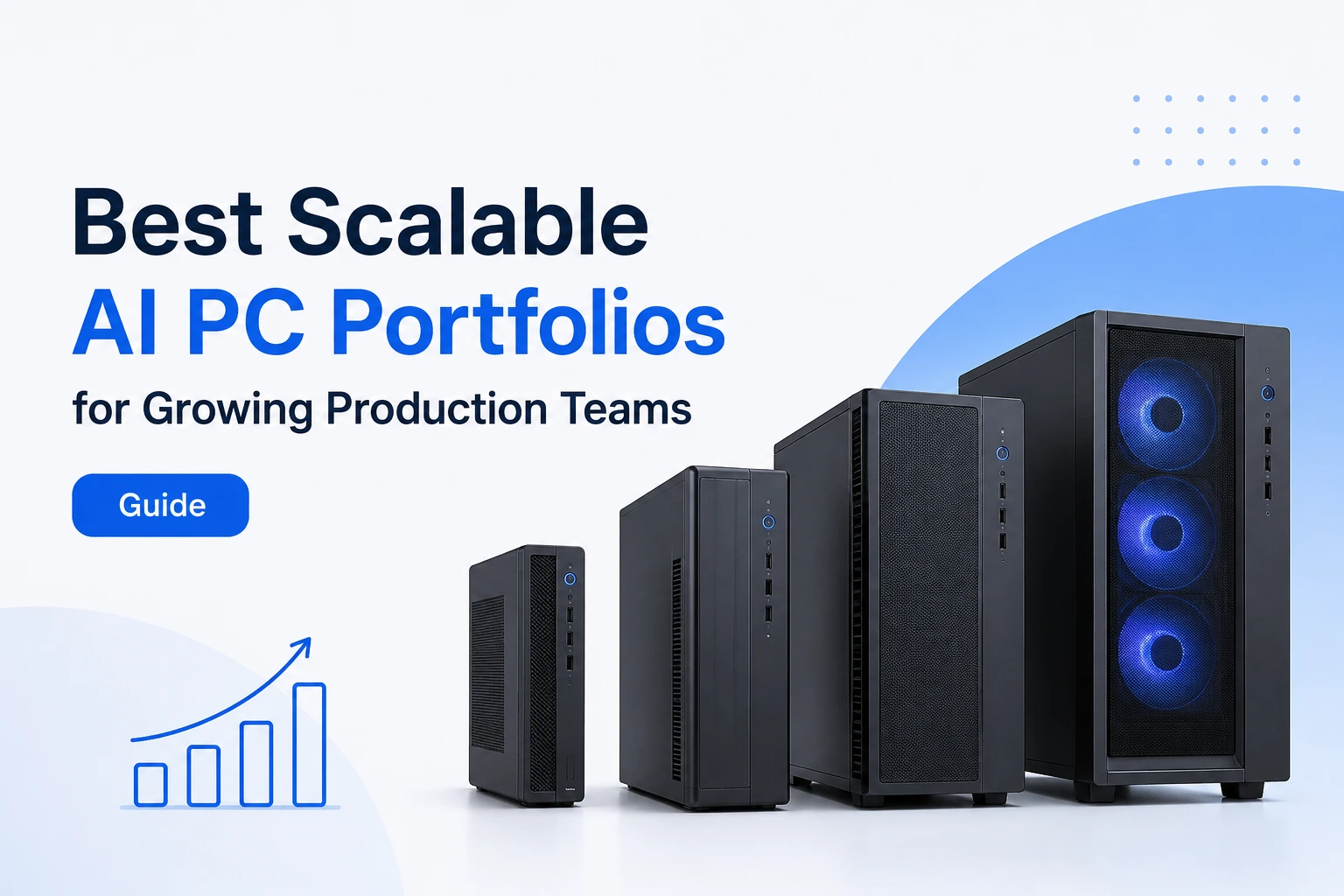
As AI workloads rapidly scale across production environments, choosing the best scalable AI PC portfolios for growing production teams has become a critical enterprise decision—not just a hardware upgrade. From GPU-heavy rendering to local AI model inference, modern teams need infrastructure that grows with them, not against them.
This guide breaks down the leading enterprise portfolios and what truly defines scalability in AI-powered production ecosystems.
What Are Scalable AI PC Portfolios?
As artificial intelligence becomes a core part of modern production workflows, organizations need computing platforms that can grow alongside their teams. This is where scalable AI PC portfolios come into play. Rather than purchasing individual systems with limited upgrade options, businesses increasingly invest in complete workstation ecosystems that support evolving AI, creative, and engineering workloads.
A scalable AI PC portfolio typically includes multiple workstation configurations, centralized management capabilities, flexible hardware options, and long-term upgrade paths. These portfolios allow organizations to standardize procurement while ensuring that entry-level, mid-range, and high-performance users all have access to suitable hardware.
Defining AI PCs for Professional Production Teams
An AI PC is a computer designed to accelerate artificial intelligence workloads through a combination of advanced CPUs, dedicated GPUs, and increasingly, Neural Processing Units (NPUs). While consumer AI PCs often focus on personal productivity features, professional AI PCs are built to support demanding production environments.
For production teams, AI PCs may be used for:
- Generative AI content creation
- Video editing and post-production
- 3D rendering and animation
- Machine learning model development
- Data analysis and visualization
- Software engineering and AI-assisted development
Professional AI workstations are optimized not only for performance but also for reliability, security, and long-term deployment across multiple users and departments.
Why Scalability Matters in Production Environments
Production teams rarely remain static. As organizations grow, AI workloads become more complex, datasets expand, and project timelines become increasingly demanding.
A scalable portfolio allows businesses to:
- Add more powerful systems as workloads increase
- Upgrade memory, storage, and graphics hardware over time
- Standardize hardware across departments
- Reduce future replacement costs
- Support larger AI models and datasets
Without scalability, organizations may find themselves replacing entire fleets of devices every few years, leading to higher costs and operational disruptions.
For example, a content production studio may initially require AI-assisted editing tools. Over time, the same team might adopt local large language models, advanced rendering pipelines, and AI-generated visual effects, significantly increasing hardware requirements. A scalable portfolio helps accommodate this growth without requiring a complete infrastructure overhaul.
Key Differences Between Consumer AI PCs and Enterprise Workstations
Although many consumer devices now advertise AI capabilities, they differ significantly from enterprise-grade AI workstations.
| Feature | Consumer AI PCs | Enterprise AI Workstations |
|---|---|---|
| Primary Purpose | Personal productivity | Professional production workloads |
| Upgradeability | Limited | Extensive |
| GPU Options | Mid-range | High-performance professional GPUs |
| Memory Capacity | Typically lower | Significantly higher |
| Reliability | Standard consumer grade | Enterprise-grade validation |
| Lifecycle Support | Shorter | Long-term support programs |
| Multi-User Deployment | Limited | Designed for enterprise environments |
Consumer AI PCs may be sufficient for lightweight AI applications, but growing production teams typically require workstation-class systems capable of handling intensive workloads and long-term scaling.
What Growing Production Teams Need From AI PCs
Choosing the right AI PC portfolio requires a clear understanding of how production teams work today—and how they are likely to work in the future. Hardware decisions should be driven by workload requirements rather than marketing specifications alone.
AI Workloads and Performance Requirements
Modern production teams use AI in many different ways. The performance requirements vary considerably depending on the workload.
Common AI production workloads include:
- Generative AI content creation
- AI-enhanced video editing
- Image generation and processing
- Large language model inference
- Software development with AI assistants
- Data science and analytics
- CAD and engineering simulations
Lightweight AI tasks may run effectively on modern AI laptops, while advanced workflows often require workstation-class hardware with dedicated GPUs and large memory pools.
Organizations should evaluate both current and future workload requirements before selecting a portfolio.
Local AI Processing vs Cloud-Based AI
One of the most important infrastructure decisions is determining whether AI workloads should run locally or in the cloud.
Local AI Processing Advantages
- Improved data privacy and security
- Reduced dependency on internet connectivity
- Lower long-term cloud expenses
- Faster response times for certain workloads
- Greater control over infrastructure
Cloud-Based AI Advantages
- Virtually unlimited scalability
- Access to large-scale compute resources
- Lower upfront hardware investment
- Easier access to cutting-edge AI services
Many production teams are now adopting hybrid strategies, combining local AI workstations for daily workflows with cloud resources for large-scale training and specialized tasks.
The best scalable AI PC portfolios are designed to support this hybrid model efficiently.
GPU, NPU, and Memory Considerations
AI performance depends heavily on three critical hardware components: GPUs, NPUs, and memory.
GPUs
Graphics Processing Units remain the most important component for many AI workloads. They accelerate:
- Generative AI applications
- Machine learning inference
- 3D rendering
- Video processing
- Scientific computing
Teams working with large AI models should prioritize portfolios that offer flexible GPU upgrade paths.
NPUs
Neural Processing Units are specialized processors optimized for AI tasks. Modern AI PCs increasingly include NPUs that improve:
- AI-assisted productivity features
- On-device inference
- Real-time AI processing
- Power efficiency
Although NPUs are becoming increasingly important, they currently complement rather than replace GPUs in most professional production environments.
Memory
AI workloads are highly memory-intensive.
Production teams should consider:
- System RAM capacity
- Memory upgrade flexibility
- GPU VRAM availability
- Future expansion requirements
Insufficient memory often becomes a bottleneck long before CPU performance becomes a limitation.
Storage and Networking Requirements
Storage and networking infrastructure play a critical role in AI productivity.
AI projects frequently involve:
- Large datasets
- High-resolution media files
- Model checkpoints
- Collaborative workflows
- Backup and versioning systems
Organizations should prioritize portfolios that support:
- High-speed NVMe SSD storage
- Multiple storage expansion options
- RAID configurations where appropriate
- High-bandwidth networking
- Efficient collaboration across distributed teams
As AI models and production assets continue to grow in size, storage scalability becomes just as important as compute scalability.
A well-designed AI PC portfolio balances processing power, memory, storage, and networking to create an infrastructure that can support both current production demands and future organizational growth.
Best Scalable AI PC Portfolios for Growing Production Teams at a Glance
Choosing the best scalable AI PC portfolios for growing production teams requires balancing AI performance, upgrade flexibility, memory capacity, and long-term support. Enterprise buyers should evaluate complete workstation ecosystems rather than individual models, as portfolios provide consistent deployment, simplified management, and future scalability across multiple departments.
The leading enterprise AI workstation portfolios currently come from Dell, HP, Lenovo, and Apple. Each portfolio offers distinct advantages depending on workload requirements, IT policies, and growth objectives.
Enterprise Portfolio Comparison Table
The following table provides a high-level comparison of the most popular AI workstation portfolios used by production teams, AI developers, creative professionals, and engineering organizations.
| Portfolio | AI Performance | Upgradeability | GPU Options | Max Memory | Best For |
|---|---|---|---|---|---|
| Dell Precision | Excellent | Excellent | NVIDIA RTX Pro, RTX Ada, Data Center GPUs | Up to several TB depending on configuration | AI development, engineering, data science |
| HP Z Series | Excellent | Excellent | NVIDIA RTX Professional GPUs | Enterprise-scale memory configurations | Media production, visualization, AI workflows |
| Lenovo ThinkStation | Excellent | Excellent | NVIDIA RTX Professional and high-performance GPUs | Enterprise workstation capacities | Engineering, AI research, large-scale production |
| Apple Mac Studio | Very Good | Limited | Integrated Apple Silicon GPU | Unified memory architecture | Creative professionals and video production |
| Apple Mac Pro | Very Good | Moderate | Apple Silicon architecture with PCIe expansion support | High unified memory capacities | Large creative teams and Apple-centric workflows |
Specifications vary by generation and configuration. Organizations should review current vendor specifications before procurement decisions.
Key Specifications Compared
When evaluating AI PC portfolios, several specifications matter more than raw processor speed alone.
AI Performance
AI performance is influenced by the combined capabilities of the CPU, GPU, NPU, memory bandwidth, and software ecosystem. Workloads such as local LLM inference, computer vision, AI-assisted design, and generative media creation often depend heavily on GPU acceleration.
Upgradeability
Scalability is one of the most important criteria for growing production teams. Enterprise portfolios that support memory, storage, and GPU upgrades can significantly extend hardware lifecycles and reduce long-term costs.
GPU Flexibility
Professional AI workflows increasingly rely on powerful GPUs. Portfolios that offer multiple GPU configurations provide greater flexibility as workloads evolve.
Memory Capacity
Modern AI applications consume substantial memory resources. Large datasets, generative AI models, and high-resolution creative assets all benefit from expanded RAM capacity.
Enterprise Support
Beyond technical specifications, enterprise support programs, security features, deployment tools, and warranty options contribute significantly to the overall value of a workstation portfolio.
Scalability Ratings Overview
Not all AI PC portfolios scale equally well as teams grow.
Highest Scalability
- Dell Precision
- HP Z Series
- Lenovo ThinkStation
These workstation portfolios provide extensive upgrade options, multiple GPU configurations, large memory capacities, and long-term enterprise support.
Moderate Scalability
- Apple Mac Pro
While Apple offers exceptional performance and reliability, upgrade flexibility remains more limited than traditional workstation platforms.
Limited Hardware Scalability
- Apple Mac Studio
Mac Studio delivers impressive AI and creative performance but relies primarily on choosing the right configuration at purchase due to limited post-purchase hardware upgrades.
For organizations expecting significant growth over the next three to five years, workstation-class portfolios from Dell, HP, and Lenovo generally offer the greatest flexibility.
Dell Precision Portfolio
Among enterprise workstation solutions, the Dell Precision Portfolio is widely recognized as one of the most scalable and versatile platforms for AI development, data science, engineering, and advanced production workloads.
Dell has built the Precision family specifically for professionals who require reliability, performance, and long-term upgradeability. The portfolio includes compact workstations, tower systems, rack-mounted solutions, and mobile workstations, allowing organizations to standardize deployments across different user groups.
Overview of Dell Precision Workstations
Dell Precision workstations are engineered for demanding professional applications and certified for many industry-standard software platforms.
Key characteristics include:
- Enterprise-grade reliability
- Professional NVIDIA GPU support
- High-core-count processor options
- Extensive memory configurations
- Advanced thermal management
- Long lifecycle support programs
The portfolio covers a broad range of performance requirements, from entry-level AI-assisted productivity to large-scale machine learning and simulation workloads.
This flexibility makes Dell Precision particularly attractive for organizations with diverse production teams.
AI Development and Data Science Capabilities
Dell Precision systems are frequently used by:
- AI engineers
- Data scientists
- Machine learning researchers
- Software development teams
- Analytics professionals
Their strengths in AI workloads include:
Local AI Inference
Modern Precision workstations equipped with professional NVIDIA GPUs can efficiently run local AI models, including many open-source large language models and computer vision systems.
Data Science Workloads
Data scientists benefit from:
- Large memory capacities
- Multi-core CPUs
- GPU acceleration
- Fast storage systems
These features help accelerate data preparation, model testing, and analytics workflows.
Generative AI Applications
Generative AI workloads such as image generation, video enhancement, and AI-assisted content creation perform particularly well on higher-end Precision configurations with dedicated professional GPUs.
Hybrid AI Infrastructure
Many enterprises deploy Precision workstations as part of hybrid AI environments where local systems handle daily workloads while cloud resources support large-scale training projects.
Upgrade Paths and Long-Term Scalability
One of Dell Precision’s strongest advantages is its scalability.
Organizations can often upgrade:
- System memory
- Storage capacity
- Professional GPUs
- Networking components
- Expansion cards
This modular approach allows teams to increase performance without replacing entire systems.
For growing production teams, this translates into:
- Lower total cost of ownership
- Extended workstation lifecycles
- Simplified IT management
- Easier scaling of AI workloads
Dell also provides enterprise deployment and management tools that support large workstation fleets across multiple locations.
Best Dell Precision Models for Production Teams
Several Dell Precision models stand out for AI and production workloads.
Dell Precision Tower Series
Best for:
- AI development
- Data science
- 3D rendering
- Engineering simulations
Advantages:
- Maximum expandability
- Multiple GPU options
- High memory ceilings
- Excellent cooling performance
Dell Precision Rack Workstations
Best for:
- Centralized enterprise environments
- Remote production teams
- Secure workstation deployments
Advantages:
- Data center integration
- Centralized management
- Enhanced security controls
Dell Precision Mobile Workstations
Best for:
- Hybrid workforces
- On-site production teams
- Mobile AI professionals
Advantages:
- Professional-grade performance
- Enterprise security features
- Portability without sacrificing capability
For most growing production teams seeking maximum scalability and AI readiness, Dell Precision tower workstations remain among the strongest options available in today’s enterprise workstation market.
HP Z Series Portfolio
The HP Z Series portfolio has long been a favorite among creative professionals, engineers, architects, and data scientists who require workstation-class performance. HP positions the Z family as a premium workstation ecosystem capable of handling demanding AI, visualization, simulation, and content production workloads.
For organizations evaluating the best scalable AI PC portfolios for growing production teams, HP Z systems offer an attractive combination of performance, reliability, security, and expandability.
Overview of HP Z Workstations
The HP Z portfolio includes desktop workstations, rack-mounted systems, and mobile workstations designed for professional environments.
Key characteristics include:
- Enterprise-grade reliability
- Professional NVIDIA RTX GPU support
- High-performance Intel and AMD processor options
- Large memory capacities
- Advanced cooling systems
- Extensive ISV certifications
HP’s workstation lineup is commonly used in industries such as:
- Media and entertainment
- Product design
- Engineering
- Manufacturing
- Scientific research
- Artificial intelligence development
The portfolio is designed to scale from individual creators to large enterprise deployments.
AI and Content Creation Performance
One of the strongest advantages of HP Z workstations is their ability to support both AI workloads and creative production pipelines.
Generative AI Workloads
Modern HP Z systems can efficiently handle:
- AI image generation
- Video enhancement
- AI-assisted editing
- Local LLM inference
- Computer vision applications
Professional GPUs and high memory configurations make them particularly suitable for organizations experimenting with on-premise AI workflows.
Video Production and Post-Production
Production teams working with:
- 4K and 8K video
- Motion graphics
- Visual effects
- Virtual production
benefit from the workstation-class hardware and optimized thermal designs available across the Z portfolio.
3D Design and Rendering
HP Z systems are also widely deployed for:
- CAD workflows
- Architectural visualization
- Animation pipelines
- Product design simulations
These workloads often overlap with AI-enhanced creative applications, making Z workstations versatile investments.
Expansion and Customization Options
Scalability remains one of the defining strengths of the HP Z portfolio.
Organizations can typically customize and upgrade:
- System memory
- Storage capacity
- Professional GPUs
- Networking solutions
- Expansion cards
This flexibility enables teams to adapt hardware resources as projects become more demanding.
Benefits include:
- Longer hardware lifecycles
- Lower replacement costs
- Better support for evolving AI workloads
- Easier standardization across departments
For growing production teams, these upgrade paths help protect infrastructure investments while supporting future innovation.
Best HP Z Systems for Growing Teams
HP Z2 Tower
Best for:
- Small creative teams
- Entry-level AI workloads
- Design professionals
Advantages:
- Compact footprint
- Affordable workstation platform
- Good upgrade potential
HP Z4 Workstation
Best for:
- Mid-sized production teams
- Data science workloads
- Professional content creation
Advantages:
- Balanced performance and scalability
- Multiple storage options
- Strong GPU support
HP Z6 and Z8 Workstations
Best for:
- Enterprise AI deployments
- Advanced simulation workloads
- Large-scale rendering environments
Advantages:
- Massive memory capacities
- Extensive expansion options
- Exceptional compute performance
For organizations planning long-term growth, HP Z6 and Z8 systems remain among the most scalable workstation solutions available.
Lenovo ThinkStation Portfolio
The Lenovo ThinkStation family is another leading contender among enterprise workstation portfolios. Known for reliability, customization flexibility, and strong engineering-focused designs, ThinkStation systems are widely used across AI development, manufacturing, architecture, and research environments.
For growing production teams, Lenovo offers one of the most versatile workstation ecosystems in the market.
ThinkStation Product Family Overview
The ThinkStation lineup includes a variety of workstation categories designed to address different performance requirements.
The portfolio generally consists of:
- Entry-level workstations
- Mid-range professional systems
- High-performance tower workstations
- Enterprise-grade AI and simulation platforms
Lenovo focuses heavily on:
- Reliability
- Thermal efficiency
- Tool-less serviceability
- Enterprise management capabilities
This makes ThinkStation particularly attractive for IT departments managing large workstation fleets.
AI Workload Optimization Features
Modern ThinkStation systems are increasingly optimized for AI-related workloads.
Key strengths include:
Professional GPU Support
Many configurations support high-end professional GPUs suitable for:
- Machine learning inference
- Computer vision
- Generative AI applications
- Scientific computing
High-Core-Count Processing
AI development frequently benefits from processors capable of handling parallel workloads efficiently.
ThinkStation systems offer:
- Multi-core workstation CPUs
- Large cache configurations
- Strong multitasking performance
Fast Data Access
Large AI projects often involve extensive datasets.
ThinkStations support:
- High-speed NVMe storage
- Multi-drive configurations
- Enterprise storage management options
This helps reduce bottlenecks during data preparation and model deployment workflows.
Enterprise Scalability Advantages
Lenovo’s strongest advantage is arguably its balance between customization and scalability.
Organizations can often scale systems through:
- Memory upgrades
- Additional storage
- GPU expansion
- Network enhancements
- Specialized accelerator cards
For growing production teams, this means infrastructure can evolve alongside workload requirements.
Additional benefits include:
- Simplified maintenance
- Long-term deployment support
- Enterprise-grade security
- Consistent hardware standards across departments
These capabilities are especially valuable for organizations anticipating rapid growth.
Best ThinkStation Models for Production Teams
ThinkStation P3 Series
Best for:
- Small production teams
- Creative professionals
- AI-assisted workflows
Advantages:
- Cost-effective workstation platform
- Good upgrade flexibility
- Compact deployment options
ThinkStation P5
Best for:
- Data science teams
- Engineering organizations
- Mid-sized AI projects
Advantages:
- Strong compute performance
- Professional GPU compatibility
- Excellent scalability
ThinkStation P7 and PX
Best for:
- Enterprise AI initiatives
- Simulation environments
- Large-scale production operations
Advantages:
- Exceptional memory capacities
- Multiple GPU configurations
- Enterprise-class performance
For organizations seeking maximum flexibility and growth potential, the ThinkStation P7 and PX represent some of Lenovo’s most powerful workstation offerings.
Apple Silicon Portfolio for Creative Production
Apple has taken a different approach to AI workstation design through its Apple Silicon architecture. Rather than emphasizing traditional upgradeability, Apple focuses on highly integrated hardware that delivers impressive performance-per-watt, efficient AI processing, and seamless software optimization.
For creative production teams deeply invested in the Apple ecosystem, Mac Studio and Mac Pro are compelling alternatives to traditional workstation platforms.
Mac Studio Overview
The Mac Studio is Apple’s flagship desktop system for creative professionals.
It is commonly used for:
- Video editing
- Motion graphics
- Audio production
- Photography workflows
- AI-assisted creative applications
Key strengths include:
- Exceptional energy efficiency
- Compact design
- High-performance integrated GPU architecture
- Strong optimization for creative software
The system performs particularly well in workflows optimized for Apple Silicon.
Mac Pro for Enterprise Workflows
The Mac Pro extends Apple’s workstation offering into enterprise environments.
Compared with Mac Studio, it provides:
- Greater expansion capabilities
- Additional PCIe connectivity
- Enhanced workflow flexibility
- Better suitability for larger production environments
Organizations working with:
- Film production
- Broadcast media
- Large-scale creative pipelines
often favor Mac Pro deployments when they require Apple-based infrastructure at scale.
Unified Memory and AI Processing Benefits
One of the defining features of Apple Silicon is its Unified Memory Architecture (UMA).
Unlike traditional workstation designs where CPU and GPU maintain separate memory pools, Apple allows these components to access a shared memory system.
Benefits include:
Faster Data Access
AI applications can move data more efficiently between compute resources.
Improved Efficiency
Shared memory reduces duplication and improves overall system responsiveness.
Strong Creative Workflow Performance
Applications involving:
- Video editing
- Image processing
- Generative media creation
often benefit significantly from the unified architecture.
On-Device AI Acceleration
Apple Silicon includes dedicated neural processing hardware that supports AI-powered features directly on the device.
This helps improve:
- AI-assisted editing
- Speech processing
- Image enhancement
- Productivity workflows
Limitations of Apple’s Upgrade Path
While Apple Silicon offers impressive performance, scalability remains more limited compared to Dell Precision, HP Z Series, and Lenovo ThinkStation portfolios.
Potential limitations include:
Limited Post-Purchase Hardware Upgrades
Most key hardware components are configured at purchase and cannot be upgraded later.
Restricted GPU Flexibility
Apple’s integrated architecture eliminates traditional GPU replacement options.
Higher Upfront Planning Requirements
Organizations must accurately forecast future requirements before purchasing systems.
Less Flexibility for Specialized AI Hardware
Some advanced AI development environments may require hardware configurations more commonly found in traditional workstation ecosystems.
Despite these limitations, Apple remains one of the strongest options for creative production teams that prioritize software optimization, energy efficiency, and seamless integration within the Apple ecosystem. For video production, content creation, and media workflows, Mac Studio and Mac Pro continue to be highly competitive AI-ready platforms.
AI Performance Comparison Across Leading Portfolios
When evaluating the best scalable AI PC portfolios for growing production teams, raw hardware specifications tell only part of the story. Organizations should assess how each portfolio performs across real-world AI workloads, including local model inference, content generation, data science, and rendering.
The leading portfolios from Dell, HP, Lenovo, and Apple all deliver strong performance, but their strengths vary depending on workload requirements and scalability priorities.
NPU and AI TOPS Performance
The rise of AI PCs has brought increased attention to Neural Processing Units (NPUs) and AI TOPS (Trillions of Operations Per Second) ratings.
NPUs are specialized processors designed to accelerate AI inference tasks while improving power efficiency. Modern AI PCs from major vendors increasingly incorporate NPUs alongside CPUs and GPUs.
Why AI TOPS Matter
AI TOPS ratings provide an indication of how much AI processing a system can perform. Higher TOPS values generally improve performance for:
- On-device AI assistants
- AI-enhanced productivity applications
- Real-time speech and image processing
- Lightweight local inference workloads
Enterprise Reality
While NPU performance is important, growing production teams should avoid making purchasing decisions based solely on TOPS ratings.
For professional workloads such as:
- Generative AI
- Computer vision
- Data science
- Model inference
GPUs remain significantly more influential than NPUs in overall performance.
As a result, enterprise buyers should view NPUs as valuable accelerators rather than primary AI compute engines.
GPU Acceleration for AI and Rendering
For most professional AI workloads, the GPU remains the single most important performance component.
Professional workstation GPUs accelerate:
- Machine learning inference
- Image generation
- Video rendering
- 3D visualization
- Simulation workloads
- Computer vision applications
Dell, HP, and Lenovo Advantages
Traditional workstation portfolios provide:
- Multiple professional GPU options
- Higher VRAM capacities
- Future GPU upgrade paths
- Support for demanding AI workloads
These capabilities make them particularly attractive for organizations expecting rapid AI adoption.
Apple Silicon Approach
Apple uses highly integrated GPU architectures rather than discrete professional GPUs.
This design delivers:
- Excellent efficiency
- Strong creative workflow performance
- Simplified system architecture
However, organizations requiring extensive GPU customization may find traditional workstation platforms more flexible.
Local LLM and Generative AI Workloads
One of the fastest-growing enterprise use cases involves running AI models locally rather than relying exclusively on cloud services.
Common local workloads include:
- Private chatbots
- Document analysis systems
- Internal AI assistants
- Code generation tools
- Creative content generation
Hardware Requirements
Successful local AI deployments typically require:
- Powerful GPUs
- Large memory pools
- Fast storage systems
- Efficient thermal management
Portfolio Performance Overview
Dell Precision
- Excellent for local LLM deployment
- Strong GPU flexibility
- Large memory configurations
HP Z Series
- Excellent AI inference performance
- Strong support for creative AI workflows
Lenovo ThinkStation
- Highly scalable for enterprise AI projects
- Strong support for large AI datasets
Apple Mac Studio and Mac Pro
- Very strong for creative AI applications
- Efficient on-device AI processing
- Excellent performance-per-watt
The optimal choice depends on model size, team requirements, and infrastructure strategy.
Real-World Production Benchmarks
Production teams should evaluate systems based on actual workflow performance rather than synthetic benchmark scores alone.
Typical production benchmarks include:
| Workload | Key Performance Indicator |
|---|---|
| Video Editing | Render time |
| 3D Rendering | Scene completion time |
| AI Image Generation | Images per minute |
| Local LLM Inference | Tokens per second |
| Data Science | Model training and inference speed |
| Engineering Simulation | Compute completion time |
In real-world environments:
- Dell Precision excels in AI engineering and simulation workloads.
- HP Z Series performs exceptionally well in visualization and creative production.
- Lenovo ThinkStation offers balanced performance for enterprise-scale deployments.
- Apple Silicon systems shine in video production, media workflows, and optimized AI-assisted creative applications.
For most growing production teams, benchmark results should be evaluated alongside scalability, upgradeability, and long-term operational costs.
Scalability Criteria for Long-Term Growth
Performance today is important, but enterprise purchasing decisions should also account for future growth. The most valuable AI PC portfolio is often the one that can scale effectively over three to five years.
Memory Expansion Capabilities
AI workloads continue to consume increasing amounts of memory.
Memory requirements grow due to:
- Larger datasets
- Bigger AI models
- More simultaneous workloads
- Higher-resolution media assets
Why Memory Matters
Insufficient RAM can create bottlenecks even when processors and GPUs remain underutilized.
Production teams should prioritize systems that support:
- Significant memory expansion
- High-speed memory configurations
- Enterprise-grade reliability
Portfolio Comparison
Dell Precision, HP Z Series, and Lenovo ThinkStation generally offer the highest memory scalability.
Apple Silicon systems provide impressive unified memory performance but require careful planning because memory configurations are largely fixed at purchase.
GPU Upgrade Flexibility
AI infrastructure evolves rapidly.
A workstation purchased today may require significantly more GPU power within two or three years.
Organizations should evaluate:
- Available GPU upgrade paths
- Multi-GPU support
- Professional GPU compatibility
- Future hardware roadmap alignment
Traditional Workstation Advantage
Dell, HP, and Lenovo workstations allow organizations to replace or upgrade GPUs without replacing entire systems.
This can significantly reduce long-term infrastructure costs.
Apple Considerations
Apple’s integrated architecture offers excellent performance but provides limited GPU upgrade flexibility after purchase.
Storage Expansion and Data Management
Data volumes continue to grow across nearly every production environment.
Common storage demands include:
- AI training datasets
- Large language model files
- Video production assets
- Design files
- Backup systems
Recommended Features
Organizations should look for:
- Multiple NVMe storage slots
- High-capacity storage support
- Enterprise backup integration
- High-speed data transfer capabilities
Scalable storage infrastructure can often extend system usefulness far beyond its original deployment period.
Multi-System Deployment Strategies
Growing teams rarely operate a single workstation.
Instead, organizations typically manage fleets of systems across multiple departments and locations.
Important considerations include:
Centralized Management
IT teams benefit from:
- Device monitoring
- Automated updates
- Security policy enforcement
Standardization
Using a consistent workstation portfolio helps simplify:
- Procurement
- Maintenance
- User training
- Hardware replacement
Hybrid Infrastructure Support
Many enterprises now combine:
- Local AI workstations
- Edge computing resources
- Cloud-based AI services
The most scalable portfolios integrate smoothly into these hybrid environments.
Choosing the Right Portfolio by Team Size
The ideal AI PC portfolio depends heavily on team size, workload complexity, and growth expectations.
Small Production Teams (5–20 Employees)
Smaller organizations typically prioritize flexibility, cost efficiency, and ease of deployment.
Recommended options:
- Dell Precision entry-level towers
- HP Z2 Series
- Lenovo ThinkStation P3
- Apple Mac Studio
Key priorities:
- Strong price-to-performance ratio
- Moderate scalability
- AI-ready hardware
- Low management overhead
For startups and boutique production studios, these systems often provide the best balance of performance and budget.
Mid-Sized Production Teams (20–100 Employees)
As organizations grow, scalability becomes increasingly important.
Recommended options:
- Dell Precision Tower Series
- HP Z4 Workstations
- Lenovo ThinkStation P5
- Apple Mac Pro for Apple-centric environments
Key priorities:
- Hardware standardization
- Upgrade flexibility
- Strong GPU support
- Centralized management capabilities
At this stage, long-term infrastructure planning becomes just as important as immediate performance.
Large Enterprise Production Teams
Large organizations often manage complex workflows across multiple departments and locations.
Recommended options:
- Dell Precision high-end towers and rack workstations
- HP Z6 and Z8 systems
- Lenovo ThinkStation P7 and PX
Key priorities:
- Maximum scalability
- Enterprise support programs
- Advanced security controls
- Multi-system deployment efficiency
These organizations typically benefit from workstation portfolios capable of supporting AI, analytics, engineering, and creative production simultaneously.
Hybrid Remote and Distributed Teams
Many modern production teams operate across multiple offices, remote locations, or international regions.
Successful deployments often require:
- Remote management capabilities
- Secure collaboration infrastructure
- Consistent workstation standards
- Hybrid cloud integration
Recommended Approaches
For distributed teams:
- Dell Precision mobile and tower combinations
- HP mobile workstation ecosystems
- Lenovo ThinkStation paired with mobile workstations
- Apple Mac Studio and MacBook Pro environments
The goal is to create a scalable workstation ecosystem that delivers consistent performance regardless of employee location.
Ultimately, the best scalable AI PC portfolio is the one that aligns with your organization’s growth trajectory, workload demands, and long-term infrastructure strategy—not simply the portfolio with the highest benchmark scores today.
Total Cost of Ownership (TCO) Analysis
When evaluating the best scalable AI PC portfolios for growing production teams, purchase price is only a fraction of the real financial picture. Enterprise buyers must consider the Total Cost of Ownership (TCO), which includes hardware acquisition, maintenance, upgrades, cloud dependencies, and long-term productivity impact.
A workstation that appears expensive upfront may deliver significantly lower long-term costs if it reduces cloud usage, extends hardware lifespan, and improves team productivity.
Hardware Acquisition Costs
Initial hardware costs vary significantly across enterprise AI PC portfolios:
- Entry-level workstations (Dell Precision, HP Z2, Lenovo P3) offer lower upfront investment but limited high-end scalability.
- Mid-range systems (Dell Precision Towers, HP Z4, Lenovo P5) balance cost and performance.
- High-end workstations (HP Z8, Lenovo PX, Dell Precision flagship systems) require substantial investment but support advanced AI workloads.
Apple Silicon systems (Mac Studio and Mac Pro) often sit in a mid-to-high pricing category depending on configuration, with strong performance-per-watt but limited upgrade flexibility.
Key insight: lower upfront cost does not always translate into lower TCO in AI-heavy environments.
Maintenance and Upgrade Costs
Maintenance and upgrade cycles are a critical part of enterprise planning.
Traditional Workstation Portfolios
Dell, HP, and Lenovo systems typically offer:
- Replaceable GPUs
- Expandable memory
- Modular storage upgrades
- Long lifecycle support
This reduces the need for full system replacement and spreads costs over time.
Apple Silicon Systems
Apple systems generally require:
- Higher upfront configuration planning
- Full system replacement for major upgrades
While maintenance costs are low due to integration, long-term upgrade flexibility is more limited.
Enterprise Impact
Organizations with evolving AI workloads often benefit more from modular systems, as they can scale incrementally rather than reinvesting in full replacements.
Cloud Cost Reduction Opportunities
One of the most important but often overlooked TCO factors is cloud dependency.
By deploying local AI PC portfolios, organizations can reduce:
- GPU cloud compute costs
- Model inference expenses
- Data transfer charges
- Storage and bandwidth fees
Hybrid Cost Optimization
Many production teams adopt a hybrid model:
- Local AI PCs for daily workloads
- Cloud infrastructure for large-scale training
This approach can significantly reduce operational costs while maintaining scalability.
In some cases, high-performance workstation deployments can pay for themselves by reducing cloud GPU consumption over time.
Long-Term ROI Considerations
Return on Investment (ROI) for AI PC portfolios should be evaluated across multiple dimensions:
- Productivity gains from faster workflows
- Reduced cloud spending
- Extended hardware lifecycle
- Improved team efficiency
- Faster AI experimentation cycles
A well-designed scalable portfolio often delivers ROI through:
- Faster iteration in AI development
- Reduced bottlenecks in rendering and processing
- Increased output per team member
For growing production teams, ROI is not just financial—it is also measured in speed, agility, and creative capacity.
AI PC Portfolios for Different Production Workflows
Different production environments require different hardware optimizations. The best scalable AI PC portfolios for growing production teams must align with specific workloads rather than offering a one-size-fits-all solution.
Video Production and Post-Production
Video production teams require systems optimized for:
- High-resolution rendering (4K/8K)
- Real-time playback
- AI-enhanced editing
- Color grading workflows
Recommended Portfolios
- HP Z Series (strong creative performance)
- Dell Precision Towers (balanced AI + rendering)
- Apple Mac Studio / Mac Pro (optimized for creative software)
Key Requirements
- High GPU VRAM
- Fast NVMe storage
- Optimized media acceleration engines
- Stable thermal performance
Apple systems often excel in optimized video workflows, while Dell and HP offer stronger scalability for mixed AI workloads.
3D Rendering and Animation
3D workflows are among the most hardware-intensive production environments.
Key workloads include:
- Real-time rendering
- Physics simulations
- Complex scene processing
- AI-assisted modeling
Recommended Portfolios
- Lenovo ThinkStation P7 / PX
- Dell Precision high-end towers
- HP Z6 / Z8 workstations
Key Requirements
- Multi-GPU support
- High memory capacity
- Strong CPU multi-threading performance
- Expandable storage systems
These environments benefit most from traditional workstation architectures with maximum upgrade flexibility.
AI Model Development and Training
AI development teams require systems optimized for:
- Model training (small to mid-scale)
- Local inference
- Data preprocessing
- Experimentation workflows
Recommended Portfolios
- Dell Precision (strong enterprise AI support)
- Lenovo ThinkStation (high scalability)
- HP Z Series (balanced AI + compute workloads)
Key Requirements
- GPU compute power
- Large system memory
- Fast dataset access
- Multi-environment support (local + cloud)
These systems act as critical bridges between development environments and cloud training infrastructure.
Engineering and Product Design Teams
Engineering teams working with CAD, simulations, and product design require:
- Precision modeling capabilities
- Simulation performance
- Stable workstation environments
Recommended Portfolios
- HP Z Series (strong ISV certification)
- Lenovo ThinkStation (engineering-focused design)
- Dell Precision (balanced engineering + AI workflows)
Key Requirements
- Certified drivers for engineering software
- High CPU performance
- Reliable GPU rendering
- Long-term stability
These workloads prioritize reliability and accuracy over raw generative AI performance.
Common Mistakes When Selecting AI PCs for Growing Teams
Selecting workstation infrastructure is a long-term strategic decision. Many organizations make costly mistakes when choosing AI PC portfolios without considering future growth and workload evolution.
Underestimating Future AI Workloads
One of the most common mistakes is planning only for current needs.
AI workloads typically grow in complexity due to:
- Larger datasets
- More advanced models
- Increased automation
- Higher-resolution content production
Failing to anticipate this growth often leads to premature hardware replacement cycles.
Prioritizing Price Over Scalability
Choosing the cheapest option can result in higher long-term costs.
Risks include:
- Limited upgrade paths
- Shorter hardware lifespan
- Increased cloud dependency
- Reduced performance over time
Scalability should always be evaluated alongside initial cost.
Ignoring GPU Upgrade Paths
GPU performance is the backbone of most AI workloads.
Common oversight:
- Selecting systems with fixed or limited GPU configurations
This can quickly become a bottleneck for:
- Generative AI
- Rendering
- Model inference
Enterprise-grade portfolios typically offer more flexible GPU expansion options.
Failing to Plan for Data Growth
AI and production environments generate massive data volumes.
Without proper planning, organizations may face:
- Storage bottlenecks
- Slow workflow performance
- Increased cloud storage costs
Scalable portfolios should include:
- Expandable NVMe storage
- High-speed data pipelines
- Enterprise storage integration
A well-planned AI PC strategy ensures that production teams can scale efficiently without being constrained by hardware limitations, supporting long-term innovation and operational growth.
Future Trends in Enterprise AI PC Portfolios
As AI becomes deeply embedded in enterprise production workflows, best scalable AI PC portfolios for growing production teams are rapidly evolving from traditional workstations into intelligent, AI-optimized infrastructure ecosystems. The next generation of enterprise hardware will not only focus on performance but also on autonomy, efficiency, and distributed intelligence.
Next-Generation NPUs
Neural Processing Units (NPUs) are expected to play a much larger role in future AI PC portfolios.
Unlike GPUs, which are optimized for high-throughput parallel computation, NPUs are designed for:
- Low-power AI inference
- Real-time edge intelligence
- Continuous background AI processing
- On-device productivity acceleration
Future Impact on Workstations
Next-generation enterprise PCs will likely combine:
- High-performance GPUs for heavy workloads
- NPUs for continuous AI tasks
- CPUs for general compute tasks
This hybrid architecture will enable more efficient AI workflows, especially in production environments where real-time responsiveness matters.
For growing teams, NPUs will reduce reliance on cloud-based inference for routine AI tasks.
AI-Native Workstations
The concept of AI-native workstations goes beyond simply adding AI accelerators to existing systems.
AI-native systems are designed from the ground up to:
- Run local AI models efficiently
- Integrate AI into operating systems
- Optimize workflows automatically
- Adapt performance dynamically based on workload
Key Characteristics
- Built-in AI orchestration layers
- Deep integration between hardware and software
- Automated resource allocation for AI tasks
- Native support for generative AI pipelines
These systems will blur the line between traditional computing and AI-assisted production environments.
Edge AI and On-Premise AI Computing
Enterprises are increasingly shifting toward edge AI and on-premise computing models, especially in industries with strict data privacy or latency requirements.
Why Edge AI Is Growing
- Reduced latency for real-time applications
- Improved data privacy and control
- Lower dependency on cloud infrastructure
- Better compliance with regulatory frameworks
Enterprise Use Cases
- Media production studios processing sensitive content
- Healthcare AI systems requiring secure data handling
- Financial institutions running private AI models
- Industrial environments with real-time AI decision systems
As a result, scalable AI PC portfolios are becoming critical edge nodes in distributed AI ecosystems.
The Future of Scalable Production Infrastructure
The future of production infrastructure will not be defined by individual machines but by interconnected AI ecosystems.
Key trends include:
- Distributed AI compute clusters across workstations
- Hybrid cloud + local AI processing models
- Centralized AI orchestration platforms
- Dynamic workload distribution between devices
What This Means for Enterprises
For growing production teams, scalability will shift from:
“How powerful is one machine?”
to
“How efficiently can all machines work together?”
This transformation will redefine how organizations evaluate workstation portfolios, prioritizing interoperability, orchestration, and lifecycle management over raw hardware specs alone.
Frequently Asked Questions
What are the best scalable AI PC portfolios for growing production teams?
The leading scalable AI PC portfolios include Dell Precision, HP Z Series, Lenovo ThinkStation, and Apple Silicon (Mac Studio/Mac Pro). Dell, HP, and Lenovo offer the highest scalability and upgrade flexibility, while Apple excels in optimized creative workflows.
Which AI workstation portfolio offers the best upgradeability?
Dell Precision, HP Z Series, and Lenovo ThinkStation offer the best upgradeability due to their modular architectures, including expandable memory, GPU replacement options, and storage scalability.
Are AI PCs better than cloud AI infrastructure?
Neither is universally better.
- AI PCs are ideal for low-latency, private, and cost-efficient local workloads
- Cloud AI is better for large-scale training and elastic compute
Most enterprises adopt a hybrid model combining both.
Is Apple Silicon suitable for large production teams?
Yes, especially for creative production teams (video, design, media workflows). However, Apple Silicon systems have limited upgrade flexibility, making them less ideal for highly scalable AI engineering environments.
How much RAM is recommended for AI production workloads?
Recommended RAM depends on workload complexity:
- Minimum professional workloads: 32–64GB
- AI development & media production: 64–128GB
- Enterprise-scale AI and rendering: 128GB–1TB+ (workstation-class systems)
What should enterprises prioritize when choosing AI PCs?
Enterprises should prioritize:
- Scalability and upgrade paths
- GPU performance and VRAM capacity
- Memory expansion flexibility
- Total cost of ownership (TCO)
- Hybrid cloud compatibility
- Long-term vendor support
Raw performance alone is not sufficient—future growth capability is the key decision factor.
Selecting the right AI PC portfolio is no longer about raw specs—it’s about long-term scalability, workload adaptability, and total infrastructure efficiency.
The best scalable AI PC portfolios for growing production teams empower organizations to reduce cloud dependency, accelerate production, and future-proof their AI capabilities.
Ultimately, the right choice is the one that grows seamlessly with your team’s ambition.
